
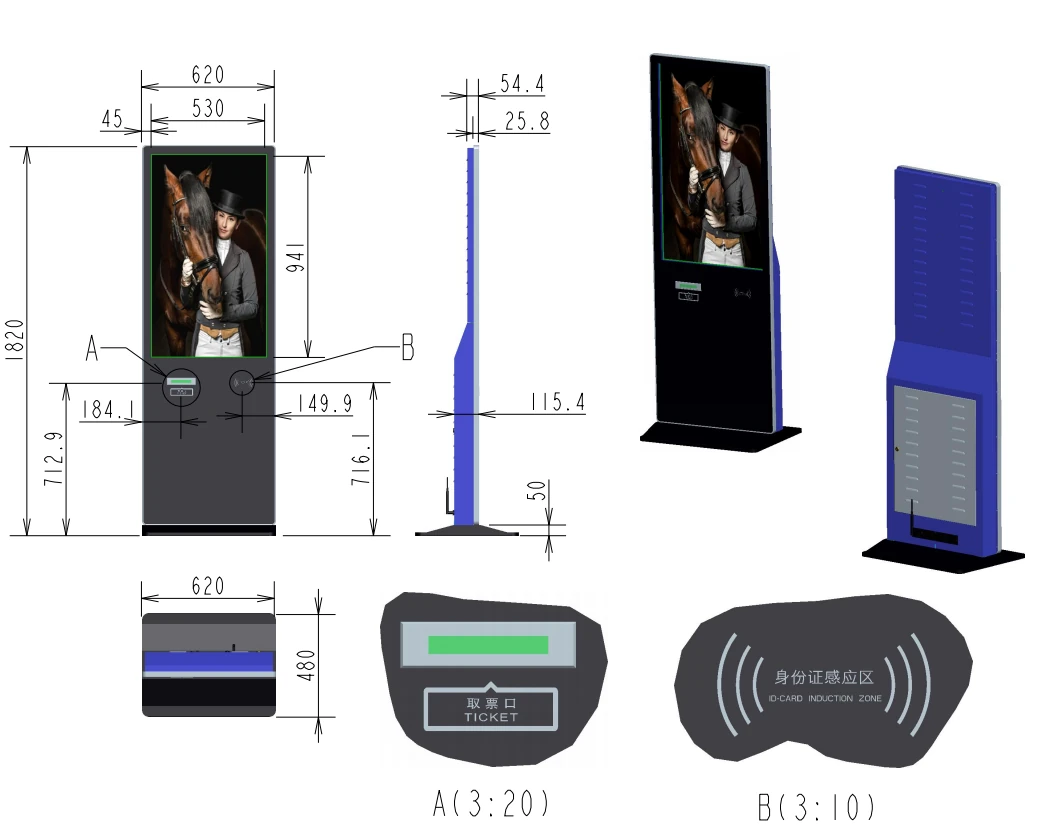
Write the user journey on one page before you look at any hardware. The journey determines the peripherals, and the peripherals determine the cabinet.
Start with the task, not the screen
Write down what the user must accomplish in the fewest possible steps. Collect a queue number, pay a bill, register an arrival, print a form, check in for an appointment. Each task has a natural sequence and a natural failure point, and the hardware follows from that.
Terminals fail operationally when the task is ambiguous. If the first screen asks a question the user cannot answer, they will queue for a member of staff and the terminal will be bypassed.
Choosing the display and touch layer
Most public terminals use a 21.5 to 43-inch display. The size follows the viewing distance and whether the terminal is seated or standing. A standing terminal at 1.5 to 1.6 metres centre height usually wants 27 to 32 inches; a seated terminal can be smaller.
Projected capacitive touch gives the crisp, phone-like response that users expect, and supports multi-touch gestures. Infrared touch is more tolerant of gloves and of a scratched surface, which matters in industrial and healthcare settings. Confirm the panel brightness against the actual location, and specify an anti-glare finish for any terminal facing a window.
If the terminal will be outdoors or in a semi-outdoor location, the touch layer, the bonding and the display brightness all have to be chosen for that environment rather than adapted afterwards.
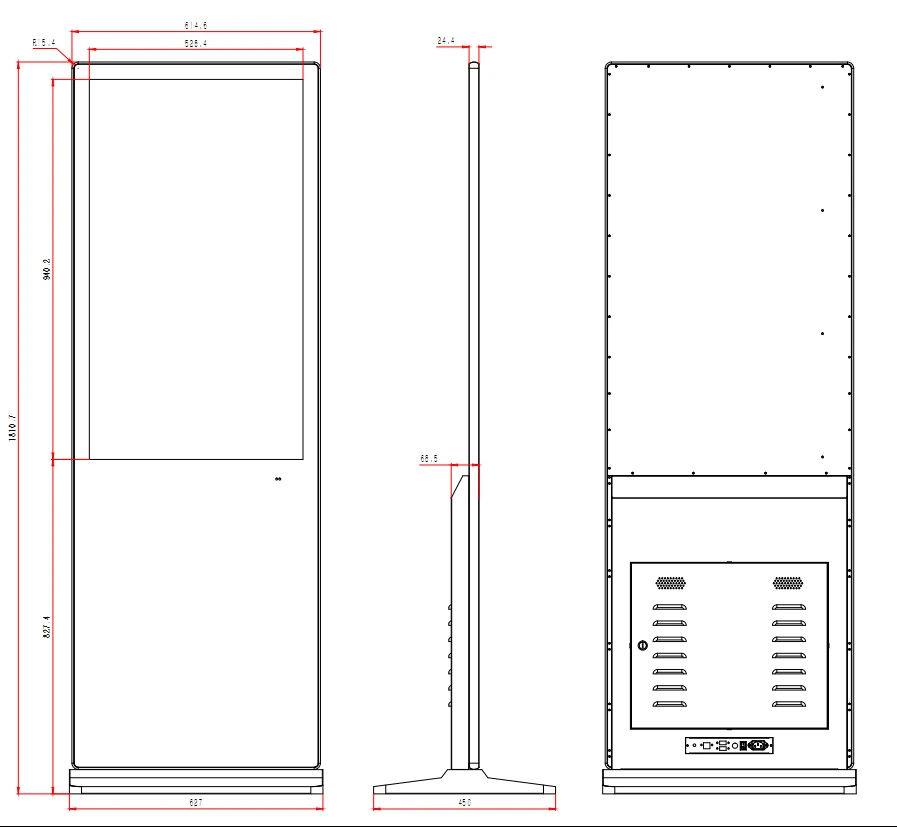
The peripherals that decide the cabinet
A thermal receipt printer needs a paper path, a roll size and a door that a staff member can open without tools. A barcode or QR scanner needs an aperture at the right height and angle. A card reader needs a position that does not require the user to bend, and a mounting that satisfies the payment scheme's requirements.
If the terminal issues a physical ticket, specify the stock, the hopper capacity and how the stock is replenished. If it accepts documents, specify the scanner resolution and whether the original is returned. Every one of these choices changes the internal layout and the cabinet dimensions.
지정하기 전에 당사에 문의하십시오.
실행하려는 공간이나 위치, 콘텐츠를 보내주세요. 우리 엔지니어들이 이를 검토한 후 실용적인 권장 사항을 제시해 드릴 것입니다. 평가 비용은 무료입니다.
Accessibility and inclusive design
Provide a reach range that works for a seated wheelchair user as well as a standing adult. The practical target is that every control, including the card reader and the ticket slot, is reachable between roughly 400 mm and 1,200 mm from the floor.
Add tactile markers to the primary keys, offer an audio mode through a headphone jack, and make sure the screen contrast survives bright ambient light. Accessibility is a legal requirement in many public procurement projects and it is considerably cheaper to design in than to retrofit.
Security, payment and data
Any terminal that accepts payment must protect the card reader, the cabling and the software that talks to the payment service. Specify a locked enclosure with a monitored door, a tamper switch and a cable route that cannot be reached from outside.
Confirm where transaction data is stored and how it is purged. For most public deployments the terminal should hold no personal data at all, and the application should run in kiosk mode so that a user cannot reach the operating system.
Service access and up-time
Design the service access before the aesthetics. A terminal that requires two engineers and a specialist lift to change a printer roll will not be maintained properly.
Specify the mean time to replace each consumable: paper, ribbon, card stock, receipt roll. Provide a diagnostic screen that a non-technical staff member can read, and make sure the terminal reports its own status so that faults are known before a queue forms.
Integration and the software question
Hardware and software are usually bought separately, which is where projects slip. Confirm early whether the terminal must integrate with an existing queue-management, ticketing or ERP system, and who is responsible for the integration.
Ask the hardware supplier for the peripheral protocols and the operating-system support, and ask the software supplier to confirm those interfaces before the cabinet is built. Our engineers can supply the interface documentation for any terminal in our 제품 카탈로그.
구매자가 우리에게 묻는 질문
우리 엔지니어들이 이 주제에 대해 가장 자주 답변하는 질문은 다음과 같습니다. 당신의 것이 여기에 없다면, 우리에게 보내주세요 그러면 우리가 직접 답변해 드리겠습니다.
How many steps should a self-service transaction take?
As few as the task allows, and never more than five before the user receives something. Every additional screen increases the number of people who abandon the terminal and join a queue.
Which touch technology is better in public?
Projected capacitive touch gives the phone-like response users expect. Infrared touch tolerates gloves, scratches and heavier use. For healthcare or industrial locations, infrared is often the more durable choice.
Can the terminal work without a network connection?
It can queue transactions and print locally, but most payment and queue-management functions need a connection. If the site has no fixed network, specify a 4G router inside the enclosure and test the signal at that exact position.
What should we ask about service and consumables?
Ask how long it takes to change a paper roll or a card stock hopper, whether the door can be opened without tools, and whether the terminal reports its own faults. Terminals fail on maintenance far more often than on hardware.
Planning a self-service deployment?
Send us the user journey and the peripherals you need. We will propose an enclosure and confirm the integration points before anything is built.